
Mac mini M6 Review: Specs, Price, Weight, Accessories and Trade-In Deals
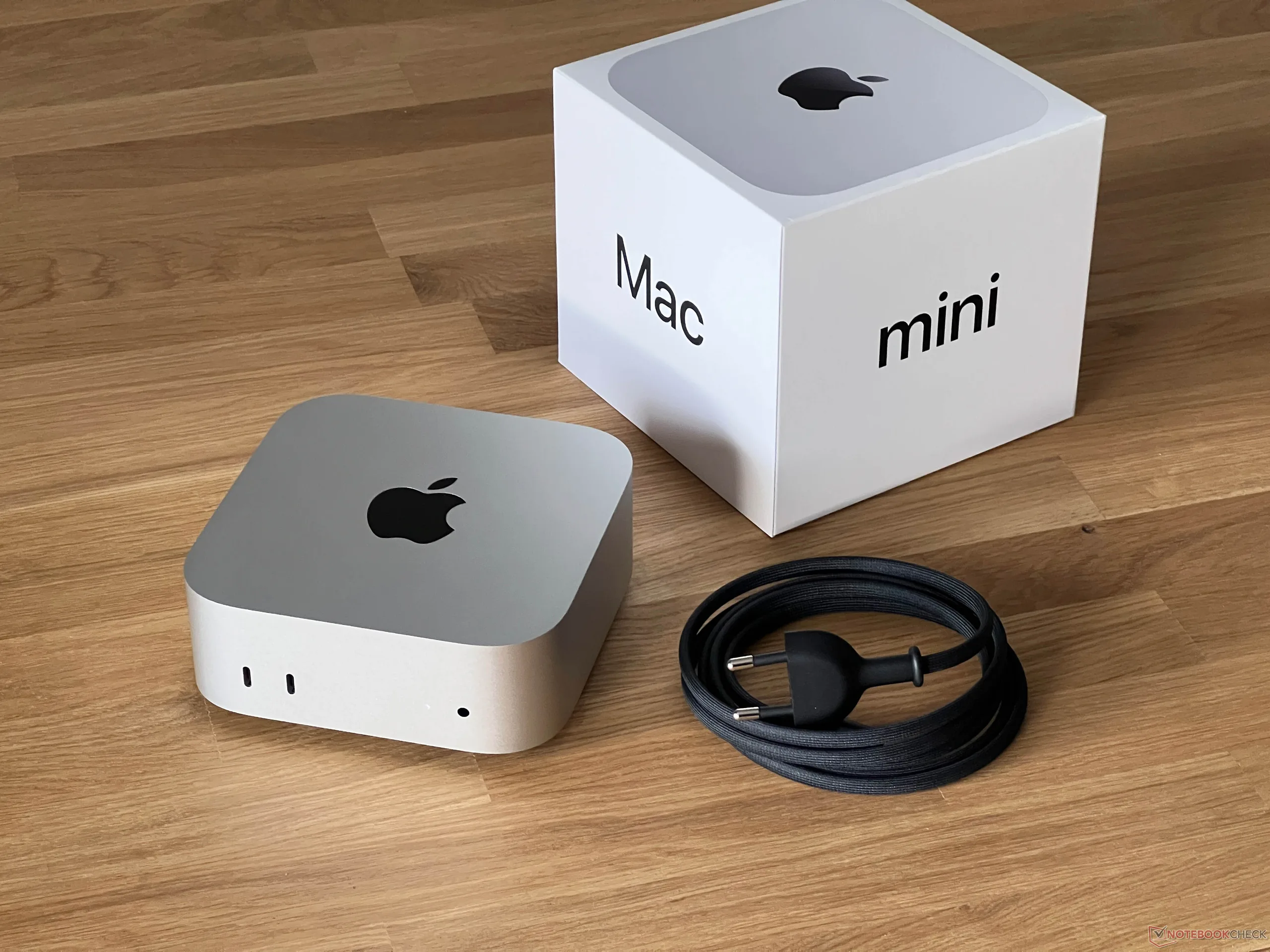
Apple’s smallest desktop just got a big update. The new Mac mini with the M6 chip started shipping on September 22, 2026, after pre-orders opened in late August. It keeps the same tiny footprint but brings a faster chip, Wi-Fi 7 and a higher starting price.
Is it still a good deal? Here’s a complete look at the specs, weight, upgrade costs, Apple’s trade-in program, the best accessories and what reviewers think.
Mac mini M6 Specs at a Glance
| Feature | Mac mini (M6) | Mac mini (M5 Pro) |
|---|---|---|
| Starting Price | $899 ($799 education) | $1,699 |
| CPU | 12-core (2 super, 4 performance, 6 efficiency) | 15-core, up to 18-core |
| GPU | 12-core, with a Neural Accelerator in each core | 16-core, up to 20-core |
| Base Memory and Storage | 16GB and 256GB SSD | 24GB and 512GB SSD |
| Max Memory | 32GB (153GB/s bandwidth, up to 170GB/s on upgraded configs) | 64GB (307GB/s bandwidth) |
| Max Storage | 2TB | Up to 8TB |
| Ports | 3x Thunderbolt 4, HDMI, Ethernet, 2x USB-C and headphone jack on the front | Similar layout, check Apple for Thunderbolt 5 details |
| Wireless | Wi-Fi 7 | Wi-Fi 7 |
| Displays | Up to three | Up to three (6K at 60Hz or 4K at 165Hz each), or one 8K |
| Weight | 1.5 lbs | 1.6 lbs |
| Size | 5″ x 5″ x 2″ | 5″ x 5″ x 2″ |
Specs and prices are based on published reports at launch. Confirm final details on Apple’s site before you buy.
How Fast Is the M6?
Apple says the M6 Mac mini is up to 40% faster on the CPU and twice as fast on graphics compared with the M4 model. Early reviews back up much of that. In published tests, the M6 scored about 32% higher than the M4 in Geekbench 6 multi-core and about 64% higher in the GPU benchmark. It also averaged around 55 fps in Cyberpunk 2077 at 1080p with default settings.
The biggest gains show up in local AI work, code compiling and browser performance. For email, office work and streaming, any recent Mac mini is already fast enough.
Weight and Size
At 1.5 pounds and just 5 inches square, the Mac mini is easy to tuck behind a monitor, slip into a bag or move between desks. The M5 Pro version adds a tenth of a pound. Reviewers did note that the power button sits on the bottom of the case, which takes some getting used to.
Upgrade Prices
The $899 base price is a jump from the $599 M4 model, and the upgrade pricing adds up fast.
| Upgrade | Extra Cost | Approx. Total |
|---|---|---|
| 24GB memory | +$200 | $1,099 |
| 32GB memory | +$400 total | $1,299 |
| 512GB SSD | +$200 | $1,099 |
| 1TB SSD | +$400 total | $1,299 |
| 2TB SSD | +$800 total | $1,699 |
| 10Gb Ethernet | +$100 | $999 |
Totals are the $899 base plus that single upgrade. Combining upgrades adds the costs together.
The standard Ethernet port is now 2.5Gb, a step up from gigabit. If you only need the basics, the 16GB and 256GB base model does the job, but the small SSD is one of the most common complaints in reviews. External storage is the cheaper fix (see accessories below).
Apple Trade-In Program
Apple Trade In is the easiest way to knock money off a new Mac mini, and the value can be generous if you’re upgrading from a recent model.
- Get an estimate: Use the Apple Trade In page and answer a few questions about your device’s model, condition and whether it powers on.
- Apply the credit: Accept the estimate and the credit is applied to your new Mac mini at checkout.
- Ship your old device: You generally have 14 days after your new Mac arrives to send the old one in with Apple’s prepaid label.
- Final check: Apple inspects the device. If it matches what you described, the offer is final. If not, the amount can change.
Reports put the maximum Mac mini trade-in credit anywhere from about $480 to as much as $620 for an M4 model, depending on the source and the timing of Apple’s value updates. A real-world example reported an M4 Mac mini fetching $565.
| Scenario | Estimated Cost |
|---|---|
| Base M6, no trade-in | $899 |
| Base M6, education pricing | $799 |
| Base M6 with an M4 Mac mini trade-in | About $280 to $400 out of pocket |
Tip: Apple’s credit is often 25% to 40% below what you can get selling privately. If you have the time, compare Apple’s offer with a local or online sale before you decide.
Best Accessories for the Mac mini M6
The Mac mini ships as just the computer, so you’ll need a display and input devices. These are popular picks that reviewers recommend for the Mac mini line.
| Type | Pick | Why |
|---|---|---|
| Monitor | Dell S2725QC | Sharp 4K at 120Hz |
| Budget Monitor | Samsung ViewFinity S8 | 4K in 27″ and 32″ sizes |
| Keyboard | Logitech MX Keys S for Mac | Mac layout, 3-device switching |
| Storage Stand | Satechi Hub & Stand | Adds an NVMe slot (up to 4TB) under the Mac mini |
| SSD Enclosure | OWC Express 1M2 | Fast external storage for a fraction of Apple’s upgrade price |
| Thunderbolt Dock | Sonnet SuperDock or MOKiN Thunderbolt 4 dock | More ports and multi-monitor support |
Check current pricing and Mac mini M6 compatibility on each product page before buying.
Pros and Cons
| What We Like | What Could Be Better |
|---|---|
| Big CPU and GPU gains over the M4 | Higher starting price than the $599 M4 model |
| Tiny 1.5 lb design that fits anywhere | 256GB base SSD feels small |
| Plenty of ports, including front USB-C and 2.5Gb Ethernet | Memory and storage upgrades are pricey |
| Wi-Fi 7 and support for three displays | Power button on the bottom of the case |
| Strong for local AI, coding and creative work | Thunderbolt 5 costs extra (a step up to the Pro model) |
Is the Mac mini M6 a Good Deal?
Reviewers agree it’s excellent hardware, but several point out it’s no longer the bargain it used to be. At $899 for 16GB and 256GB, the value comes down to how you buy it.
- Great deal if: you’re trading in a recent Mac mini, you qualify for education pricing, or you need faster performance for AI, coding or creative work.
- Fair deal if: you’re upgrading from a Mac mini M4 that already does everything you need. The speed bump is real, but you may not need it.
- Look elsewhere if: you want the lowest price possible. A discounted M4 Mac mini is still a very capable machine for everyday use.
- Step up to the M5 Pro if: you need more memory (up to 64GB), more storage, or faster graphics for demanding work.
Our Verdict
The Mac mini M6 is a fast, tiny and very capable desktop that’s easy to recommend for most Mac buyers, as long as you plan your upgrades carefully. Take the base model, use the trade-in program or education pricing, and add an affordable external SSD instead of paying Apple’s storage prices. That combination keeps the total close to the entry price while getting the full benefit of the M6.

Leave a Reply